Geofence alerts
Geofence alerts notify you when a vehicle enters or exits a zone you've defined. You can set up separate alerts for entry and exit, and use different channels for each.
Before you start
You'll need to do two things first:
- Create a geofence zone from the Geofences page in your dashboard.
- Assign the relevant vehicle or vehicles to that geofence.
If a vehicle isn't assigned to a geofence, alerts won't fire for that vehicle and zone combination.
Enabling alerts on a vehicle
- Open the vehicle from the fleet list.
- Go to the Geofences tab.
- You'll see a row for each geofence the vehicle is assigned to.
- Use the channel icons on each row to enable alerts for entering and exiting the zone.
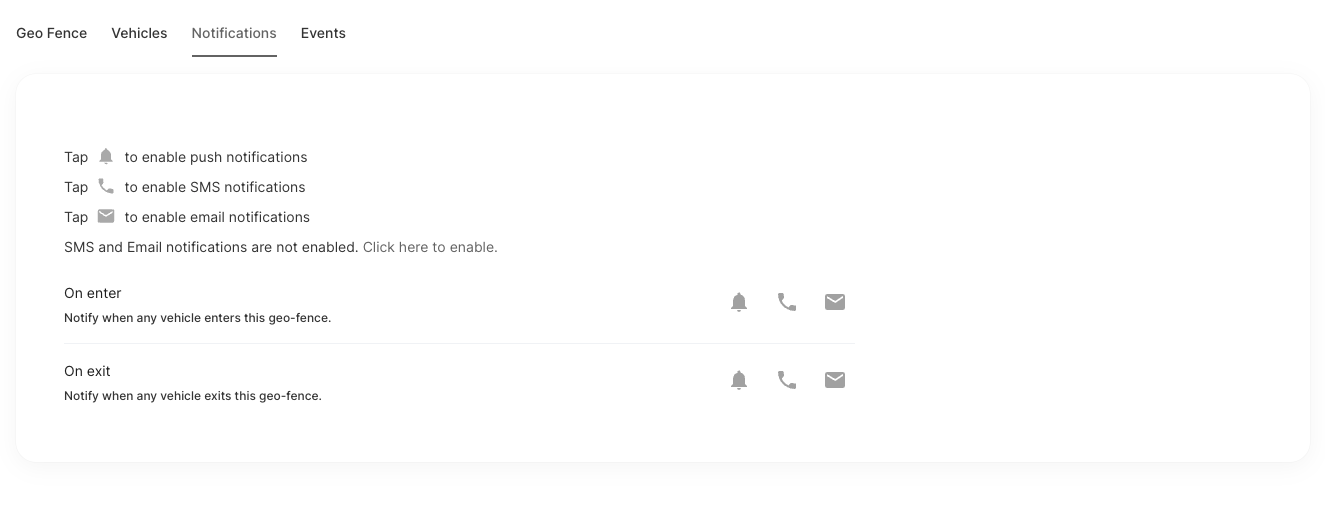
Entry and exit are controlled separately. You can mix channels — for example, SMS for entry and email for exit.
How the alerts trigger
Entered fires the first time the vehicle is detected inside the zone, if it was previously outside.
Exited fires the first time the vehicle is detected outside the zone, if it was previously inside.
The system tracks each vehicle's state per zone, so repeated GPS reads within the same zone won't send duplicate alerts.