Adding Vehicles
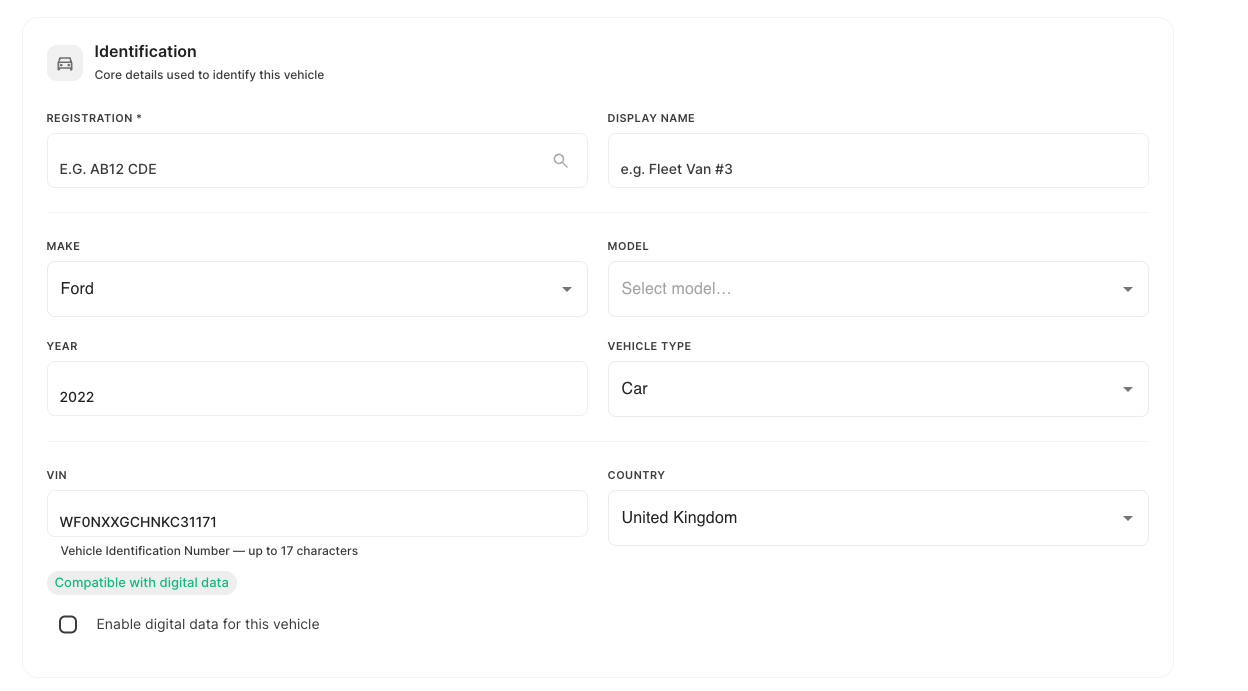
You can add a vehicle to your fleet directly from the Traknova platform. Each vehicle is identified by its VIN (Vehicle Identification Number), which is used to look up the vehicle's details automatically.
Before you start
Make sure you have the VIN for the vehicle you want to add. The VIN is a 17-character code printed on the vehicle's dashboard (visible through the windscreen), inside the driver's door frame, or on the vehicle registration document.
Step-by-step
- Navigate to Fleet in the sidebar and select Vehicles.
- Click Add Vehicle.
- Enter the vehicle's VIN and Traknova will retrieve the vehicle's year, make, and model automatically.
- Review the details and fill in any additional fields as required.
- Click Save to add the vehicle to your fleet.
Need help?
If a VIN lookup returns incorrect details or no results, check that the VIN is entered correctly — there should be no spaces and it should be exactly 17 characters. If the issue continues, contact Traknova support.